Mga Kaso ng iPad Pro/Air
 Mga Kaso ng Galaxy Tab
 Magnetik na Keyboard para sa iPad
 Mga Case ng Xiaomi Pad
 Mga Kagamitan sa Tablet
 iPhone 18 Series
 iPhone 17 Series
 iPhone 16 Series
 iPhone 15 Series
 iPhone 14 Series
 iPhone 13 Series
 Galaxy Z Fold at Flip Series
 Galaxy S26 Series
 Galaxy S25 Series
 Galaxy S24 Series
 Galaxy S23 Series
 Google Pixel 11 Series
 Google Pixel 10 Series
 Google Pixel 9 Series
 Xiaomi Serye
 OnePlus Serye
 Oppo Serye
 Vivo Serye
 Huawei Honor Series
 Walang Anumang Serye
 Serye ng iPhone
 Samsung Galaxy Series
 Google Series
 Xiaomi Series
 Serye ng OPPO
 Natatabing Keyboard
 Mga Tagapagsalita
 Laptop
 Kalusugan
 Magnetic Wallet Stand
 RayDock Charging Dock
 Mga Charger at Kable
 Mga Suporta at Mount ng Telepono
 Pagsingil ng Sasakyan
 Summer Sale ☀️

Why Your First Accessories Matter More Than Ever
The iPhone 18 Pro starts at $1,199, making it one of the most expensive iPhones Apple has ever shipped.
The headline hardware upgrade this year is the variable aperture camera system, the first physically adjustable lens mechanism on any iPhone. It is also the most physically exposed component on the device, sitting prominently on the camera plateau. A single drop can turn a $1,199 investment into a repair bill.
This guide answers a simple question: what should you buy first? We walk through each accessory category, explain who needs it, and tell you when to skip it entirely. Not every accessory is right for every buyer.
Protective Cases: Match Your Case to Your Lifestyle
Cases are not one-size-fits-all. Picking the wrong type means you are either overpaying for protection you do not need or underprotecting a device that costs more than many laptops. Here are the four main types and who each one suits:
- Clear TPU: Best for buyers who want to show off the iPhone 18 Pro's new colorways (Deep Black, Silver, Glacier Blue, Burgundy) while adding basic scratch and minor-drop protection.
- Slim aramid fiber: Built for desk professionals who want a premium feel without bulk. Aramid fiber (the same material family as Kevlar®) is lighter than polycarbonate, stronger than standard plastic, and non-conductive. It fills the gap between a thin clear case and a full rugged shell, with a matte texture that feels genuinely high-end.
- Rugged: The right choice for outdoor workers, parents, and anyone who drops their phone regularly. In 2025, 64% of drop-induced smartphone failures involved back-glass shattering. A case that fully covers the back is not optional for high-risk users.
- MagSafe-compatible hybrid: Essential if you are building a MagSafe ecosystem with wallets, stands, or car mounts. Without proper magnet alignment, your accessories will not snap on reliably.
Camera plateau protection deserves special attention this generation. The protruding variable-aperture lens is both mechanically complex and expensive to repair. Nillkin's CamShield line addresses this directly with a sliding cover that physically shields the camera array when not in use. For aramid fiber fans, Nillkin's Kevlar® case line delivers thin, serious protection without adding bulk to your pocket.
Add a Screen Protector Early
If you're planning to use a screen protector, the best time to install it is early — before your new phone has spent a week moving between pockets, bags, desks, and everything else in your day.
Tempered glass adds a replaceable layer between the display and everyday scratches or impacts. More importantly, you can choose the type based on where you normally use your phone.
Clear Glass
Choose clear tempered glass if you mainly want everyday screen protection while keeping the original display appearance and touch experience.
Privacy Glass
If you often check messages, emails, or work documents on public transport, in airports, cafés, or shared offices, a privacy screen protector can make more sense.
It narrows the viewing angle so the display is harder to read from the side, adding privacy without requiring you to change how you use the phone.
For most people, the choice is simple: clear glass for everyday protection, privacy glass if you regularly use your phone around other people.
With Magnetic Accessories, Build a Setup — Not a Collection
Magnetic accessories can make an iPhone setup much more flexible, but you don't need to attach everything possible to the back of your phone.
Start with the problem you actually want to solve.
Want to Carry Fewer Things? Try a Magnetic Wallet
If you normally carry only a few cards, a magnetic wallet can combine two everyday items into one setup.
NILLKIN's FiberMate Wallet Stands, for example, hold 1–3 cards and can also work as horizontal or vertical phone stands.
That makes this type of accessory especially useful for commuting, travel, lunch breaks, or any situation where you'd rather leave a separate wallet or stand behind.
Watch, Call, or Work Hands-Free? Choose a Stand
A magnetic stand makes more sense if you frequently watch videos, follow a recipe, take video calls, or keep your phone visible beside your laptop while working.
The advantage is less about owning another accessory and more about being able to attach it when you need it and remove it when you don't.
Already Have a Magnetic Wallet? You May Not Need a Separate Grip
This is where we'd avoid buying accessories just because they're compatible.
If your wallet already doubles as a stand, another magnetic stand may solve the same problem twice. If you prefer a dedicated grip, you may not need a wallet attachment at all.
Choose the magnetic accessory around your most common use case, not around how many accessories you can attach.
Choose a Charger for More Than Just Your iPhone
If you're buying a new charger, look at everything you carry — not only your phone.
For someone who travels with an iPhone, iPad, laptop, earbuds, or other USB-C devices, carrying a separate power adapter for each one quickly becomes unnecessary clutter.
This is where a compact GaN charger becomes useful.
GaN technology allows higher-output chargers to be built in smaller forms than many traditional charging adapters, which is particularly useful for commuting and travel.
A charger such as the NILLKIN IceCore 65W GaN Charger makes the most sense if you want one compact charger to cover several devices in your everyday setup rather than packing multiple adapters.
Already own a good USB-C charger? Check its output and compatibility first. You may not need another one simply because you've bought a new iPhone.
Productivity Accessories? Only If You Actually Work From Your Phone
Most people don't need a keyboard for their iPhone.
If you mainly use your phone for messaging, social media, photography, calls, and entertainment, you can probably skip this category entirely.
But it starts to make sense if you travel frequently, reply to long emails on the go, take notes from your phone or tablet, or regularly switch between several devices while working.
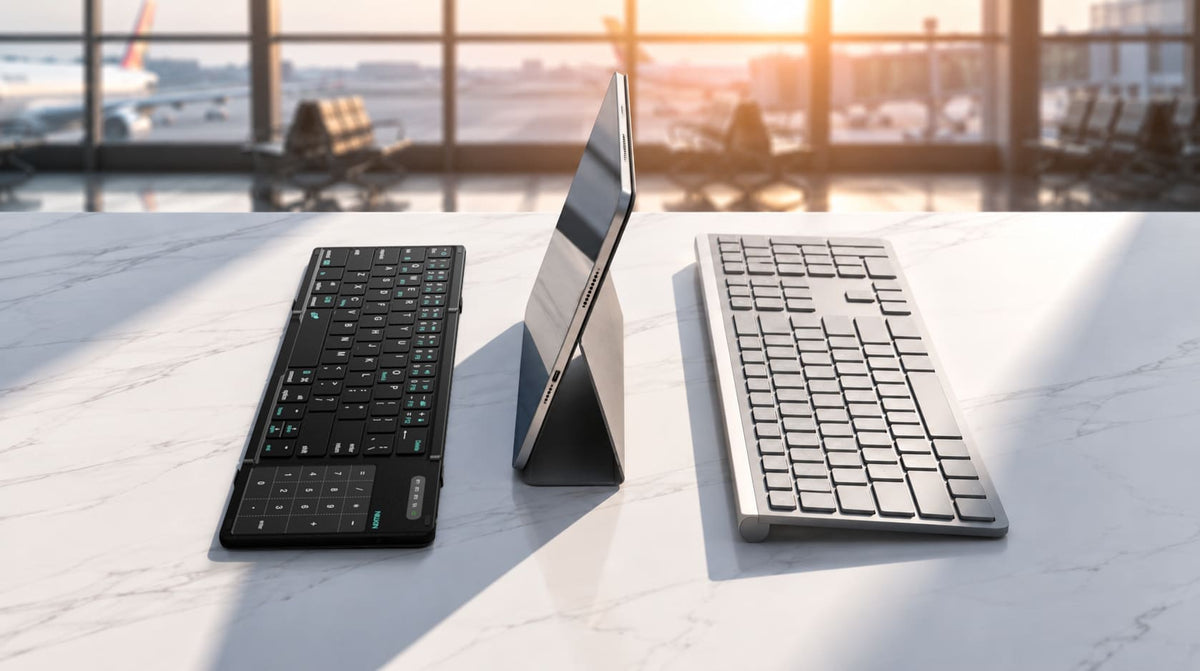
The NILLKIN Cube Pocket Keyboard is designed for that kind of mobile setup. Its foldable design makes it easier to carry, while compatibility with iOS, Android, Windows, and macOS means the same keyboard can work across different devices.
It can also stay connected to up to three devices, allowing you to switch between your phone, tablet, and laptop without carrying a different keyboard for each one.
This isn't a day-one essential for everyone. But for travel and mobile work, it can turn a phone or tablet into a much more practical place to type.
What Should You Buy First?
You don't need to build your entire setup on day one. We'd start with protection and charging, then add accessories based on what you actually find yourself needing.
| Priority | Accessory | Best For | NILLKIN Option |
|---|---|---|---|
| Buy First | Protective Case | Everyday protection | Clear / Rugged / Aramid / CamShield |
| Buy First | Screen Protector | Display protection & privacy | Clear / Privacy Glass |
| Worth Checking | GaN Charger | Multi-device charging & travel | IceCore 65W GaN |
| Depends on You | Camera Protection | Extra protection around exposed lenses | Lens Protector / CamShield |
| Depends on You | Magnetic Wallet / Stand | Commuting, cards & hands-free use | IceMate / FiberMate |
| Specific Use | Portable Keyboard | Travel & mobile work | Cube Pocket Keyboard |
FAQ
What accessories should I buy first for the iPhone 18 Pro or iPhone 18 Pro Max?
Start with a protective case and screen protector. After that, check whether your current USB-C charger already meets your needs. Magnetic wallets, stands, camera protection, and productivity accessories can be added based on how you actually use your phone.
Should I choose a clear or privacy screen protector?
Choose clear glass if maintaining the original display appearance is your priority. Privacy glass is more useful if you regularly use your phone on public transport, in offices, airports, cafés, or other places where people may be sitting beside you.
Is a camera lens protector necessary?
Not everyone needs one. A case with raised camera edges already helps prevent direct contact with flat surfaces. If you want the lenses themselves covered, consider a dedicated lens protector or a case with an integrated camera cover such as NILLKIN CamShield.
Which magnetic accessory should I buy first?
Choose based on the problem you want to solve. A magnetic wallet is useful if you want to carry fewer cards and items, while a stand is more useful for hands-free viewing, calls, or desk use. A wallet stand such as IceMate or FiberMate combines both functions in one accessory.
Do I need a new charger for my iPhone 18 Pro?
Not necessarily. If you already own a suitable USB-C charger, check its output and compatibility before replacing it. A compact multi-port GaN charger becomes more useful when you also carry an iPad, laptop, or other USB-C devices and want to reduce the number of adapters in your bag.
Can I use a Bluetooth keyboard with my iPhone 18 Pro?
Yes. A Bluetooth keyboard can be useful for longer emails, notes, and other typing tasks. NILLKIN Cube Pocket supports iOS as well as Android, Windows, and macOS, and can connect with up to three devices for easier switching between a phone, tablet, and laptop.
Build Around What You Actually Use
You don't need every accessory on day one.
Start with protection. Make sure your charging setup works. Then add a magnetic wallet, stand, camera protection, or productivity accessories when your daily routine gives you a reason to.
That's also how we think about accessories at NILLKIN: not as extras to add for the sake of it, but as practical ways to make the devices you already carry easier to protect, carry, charge, and use.
Protect what matters. Carry what you need. Add the rest when it makes sense.