
 iPad Pro/Air Cases
 Galaxy Tab Cases
 Magnetic iPad Keyboard
 Xiaomi Pad Cases
 Tablet Accessories
 iPhone 18 Series
 iPhone 17 Series
 iPhone 16 Series
 iPhone 15 Series
 iPhone 14 Series
 iPhone 13 Series
 Galaxy Z Fold & Flip Series
 Galaxy S26 Series
 Galaxy S25 Series
 Galaxy S24 Series
 Galaxy S23 Series
 Google Pixel 11 Series
 Google Pixel 10 Series
 Google Pixel 9 Series
 Xiaomi Series
 OnePlus Series
 Oppo Series
 Vivo Series
 Huawei Honor Series
 iPhone Series
 Samsung Galaxy Series
 Google Series
 Xiaomi Series
 OPPO Series
 Foldable Keyboard
 Speakers
 Laptop
 Health
 Magnetic Wallet Stand
 RayDock Charging Dock
 Chargers & Cables
 Phone Stands & Mounts
 Car Charging
 🎃 Halloween Sale


We didn’t just make it foldable.
We made sure it stays foldable — tested over 10,000 folds without breaking a sweat.

Your tray table just became a desk.


Fold Your Work, Not Your Sanity
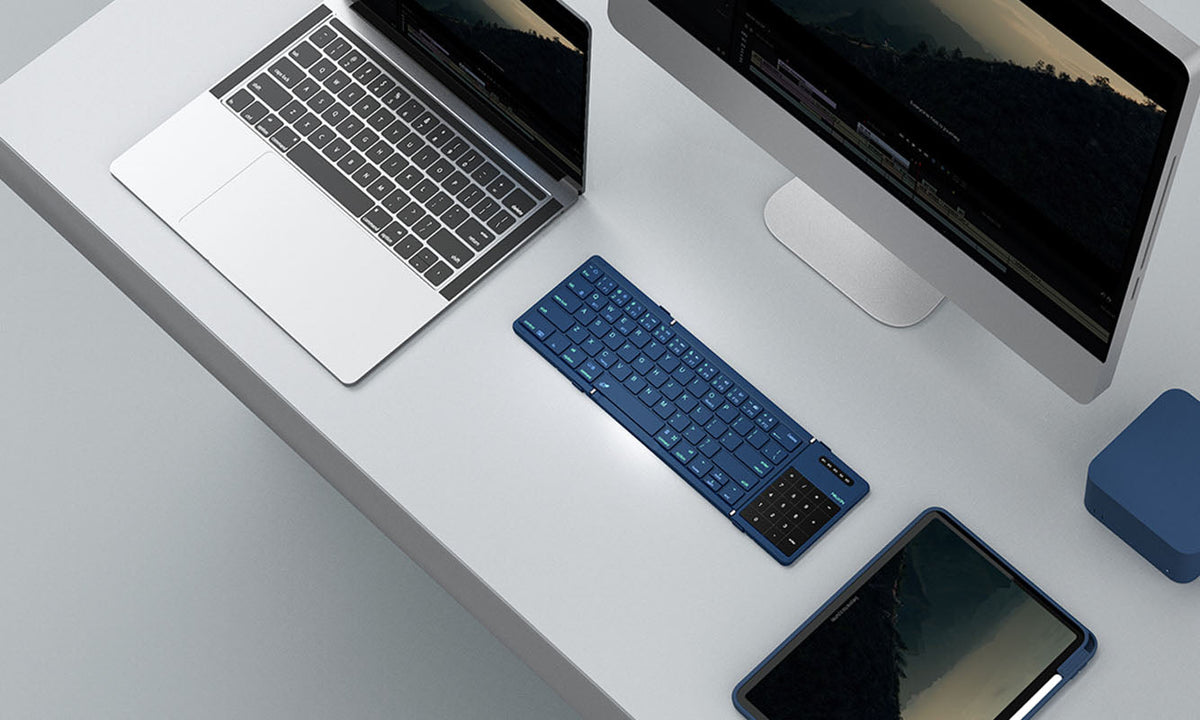
181mm folded. 341mm unleashed. Perfect for tiny desks, giant ideas, and zero compromises.
See in Action


Color Your Setup
Built for real life
Your tray table just became a desk.


Born for Chaos
Unfolds into a full-sized keyboard, folds into a pocket-sized ninja (only 270g—lighter than your Monday to-do list).

We didn’t just make it foldable.
We made sure it stays foldable — tested over 10,000 folds without breaking a sweat.

Scissor-switch keys deliver smooth, silent keystrokes—perfect for libraries, classrooms, and meetings.


Seamless Control
Touchpad or numpad? No need to choose.
Navigate, scroll, and input numbers with ease—all in one compact keyboard.

With a 140mAh battery, you get up to 10 hours of typing on a single charge. Plus, it auto-sleeps after 10 minutes of inactivity—smart enough to save power, steady enough to keep up with your work.
Power That Keeps Up
With a 140mAh battery, you get up to 10 hours of typing on a single charge. Plus, it auto-sleeps after 10 minutes of inactivity—smart enough to save power, steady enough to keep up with your work.


Organic Silicone Skin
Made from organic silicone that resists coffee spills, fingerprints, and even mid-meeting panic sweats.


For first-time pairing, press FN + BT1/BT2/BT3 to select a Bluetooth channel, then press FN + C to enter pairing mode.
Up to three devices. You can switch between them by pressing FN + BT1/BT2/BT3.
The keyboard automatically adapts to
iOS, Android, Windows, and macOS systems.
Use the included USB-C cable to charge. Supports 5V/1A or 5V/2A input.
The battery indicator light will flash 3 times when the keyboard is turned on. You can also press FN + battery icon key to check:
🔴 Red light (3 flashes): 0–30%
🔵 Blue light (3 flashes): 30–70%
🟢 Green light (3 flashes): 70–100%
No, the keyboard is not waterproof. Please keep it away from water.
Press and hold Fn + R for 3 seconds. The Bluetooth indicators (3 channels) will flash rapidly 3 times.
Enable tap-to-click:
Settings > General > Trackpad > Tap to Click
Enable Assistive Touch:
Settings > Accessibility > Touch > Assistive Touch
Disable the setting:
After connecting via Bluetooth → Settings > General > Keyboard > Hardware Keyboard > Turn off "Caps Lock to switch languages"
The Bluetooth version may be too low. Please update your Bluetooth driver.
Right-click works when two fingers tap closely together. Tapping too far apart may not trigger it.
Android OS does not support virtual keyboard with physical keyboards connected.
No. It enters sleep mode after 10 minutes of inactivity.
To wake: press any key for 2 seconds, then both keyboard and touchpad will reconnect.
Yes, it supports charging and use at the same time.


Make your life and work easier by providing unique and quality products. We believe that high quality accessories enhance the user experience and our team constantly strives to develop and improve our products to meet the ever-changing market needs.
As the pace of life accelerates and productivity devices continue to innovate, multi-screen collaboration allows content to be transmitted across devices without hindrance, enabling various functional operations and people to work more efficiently.
NILLKIN Cube Pocket Keyboard: How to Pair & Switch Up to 3 Devices
A complete guide to pairing, switching, and troubleshooting the NILLKIN Cube Pocket Keyboard across three Bluetooth devices. Covers first-time setup, OS-specific steps for iOS, Android, Windows, an...
Travel Charger Guide: Charge Confidently Anywhere in 2026
A practical 2026 guide to choosing the right USB-C GaN travel charger for any destination. Learn how detachable plug designs, regional versions, and 65W GaN technology can replace your entire charg...
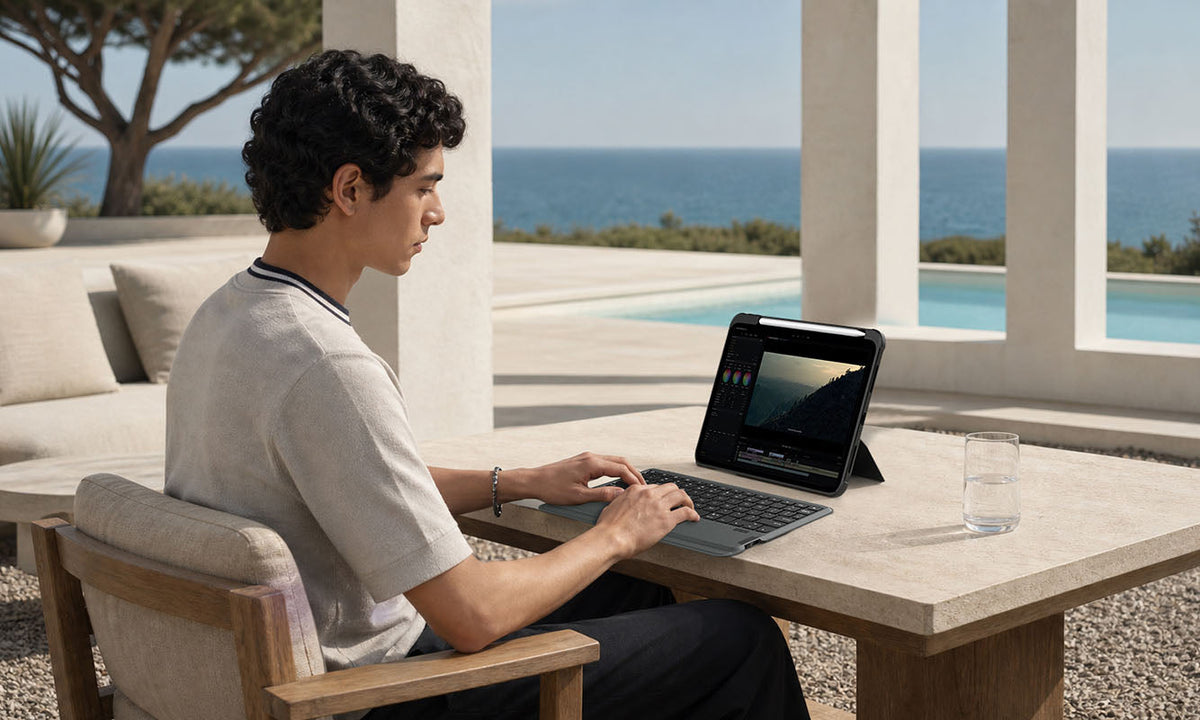
Is an iPad Keyboard Case Worth It? What to Consider Before You Buy
A practical buying guide covering who benefits most from an iPad keyboard case, when one isn't worth the investment, and which features matter most for work, study, and travel productivity in 2026.