Fundas para iPad Pro/Air
 Fundas para Galaxy Tab
 Teclado Magnético para iPad
 Fundas para Xiaomi Pad
 Accesorios para tablet
 Serie iPhone 18
 Serie iPhone 17
 iPhone 16 Series
 Serie iPhone 15
 Serie iPhone 14
 Serie iPhone 13
 Serie Galaxy Z Fold y Flip
 Serie Galaxy S26
 Serie Galaxy S25
 Serie Galaxy S24
 Serie Galaxy S23
 Serie Google Pixel 11
 Serie Google Pixel 10
 Serie Google Pixel 9
 Serie Xiaomi
 Serie OnePlus
 Serie Oppo
 Serie Vivo
 Huawei Honor Series
 Serie iPhone
 Serie Samsung Galaxy
 Serie Google
 Serie Xiaomi
 Serie OPPO
 Teclado Plegable
 Altavoces
 Portátil
 Salud
Salud
 Soporte Magnético para Cartera
 Base de Carga RayDock
 Cargadores y Cables
 Soportes y Montajes para Teléfonos
 Carga de coches
 Oferta de Halloween 🎃
El iPad ha cambiado mucho a lo largo de los años.
Lo que comenzó como un dispositivo utilizado principalmente para navegar, ver vídeos y entretenerse, se ha convertido en una seria herramienta de productividad para muchas personas.
Hoy en día, un iPad puede realizar tareas que antes requerían un portátil:
- Escribir correos electrónicos y documentos
- Unirse a reuniones en línea
- Gestionar proyectos
- Tomar notas
- Editar fotos y vídeos
- Crear arte digital
El hardware ya es capaz.
Pero hay algo que a menudo limita la experiencia:
La forma en que lo usas.
Un iPad está diseñado para ser flexible. Puede ser una tableta, un cuaderno, un lienzo creativo o una estación de trabajo portátil.
Los accesorios adecuados le ayudan a pasar de un rol a otro de forma más natural.
Ahí es donde una funda con teclado para iPad marca la diferencia.
Tu iPad es potente. Pero, ¿está tu configuración a la altura?
Un portátil tradicional está construido en torno a una experiencia fija.
La pantalla permanece unida al teclado y la forma en que interactúas con el dispositivo rara vez cambia.
Un iPad funciona de forma diferente.
En un momento puedes necesitar un teclado para escribir un informe. Unas horas más tarde, puede que quieras una configuración más ligera para leer o dibujar.
Los mejores accesorios para iPad no te obligan a seguir un único flujo de trabajo.
Se adaptan al tuyo.
Una funda con teclado para iPad bien diseñada aporta mucho más que solo escritura.
Crea un entorno de trabajo más completo con:
- Una experiencia de escritura cómoda
- Una navegación más precisa
- Ángulos de visión flexibles
- Mejor protección
- Múltiples formas de usar tu iPad a lo largo del día
Por qué una funda con teclado para iPad cambia tu forma de trabajar
La mayor ventaja de un iPad es su flexibilidad.
A diferencia de un ordenador tradicional, un iPad puede cambiar de rol a lo largo del día.
Puede convertirse en un dispositivo de trabajo durante el horario de oficina, en una herramienta creativa cuando llega la inspiración y en una sencilla tableta cuando quieres una experiencia más ligera.
Una funda con teclado ayuda a cerrar la brecha entre estos diferentes usos al añadir una configuración más completa para la productividad.
Cinco formas en las que una funda con teclado para iPad puede mejorar tu productividad
Un dispositivo potente se vuelve aún más útil cuando puede adaptarse a diferentes situaciones.
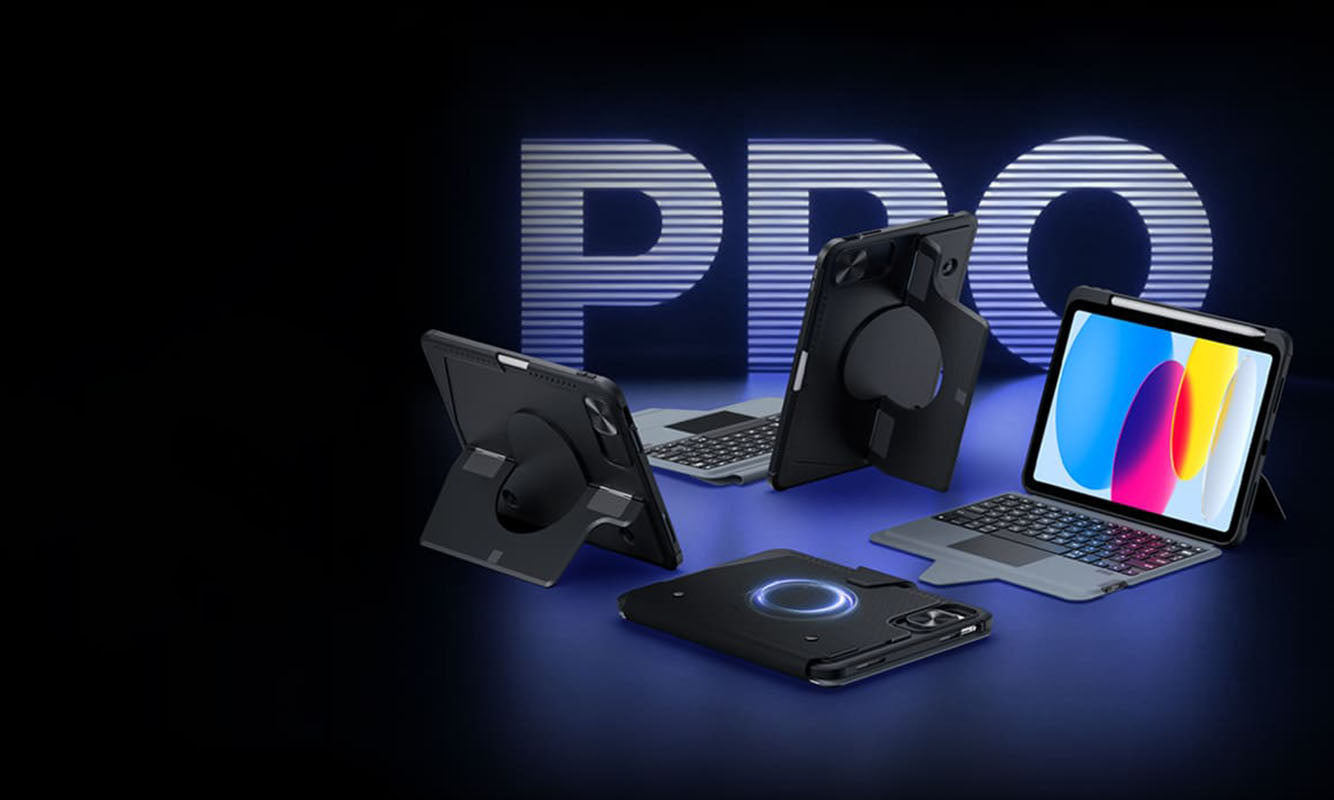
La funda con teclado retroiluminado magnético NILLKIN Bumper Combo Pro está diseñada en torno a esta idea, ofreciendo cinco formas flexibles de usar tu iPad.
Modo portátil: una forma más eficiente de trabajar
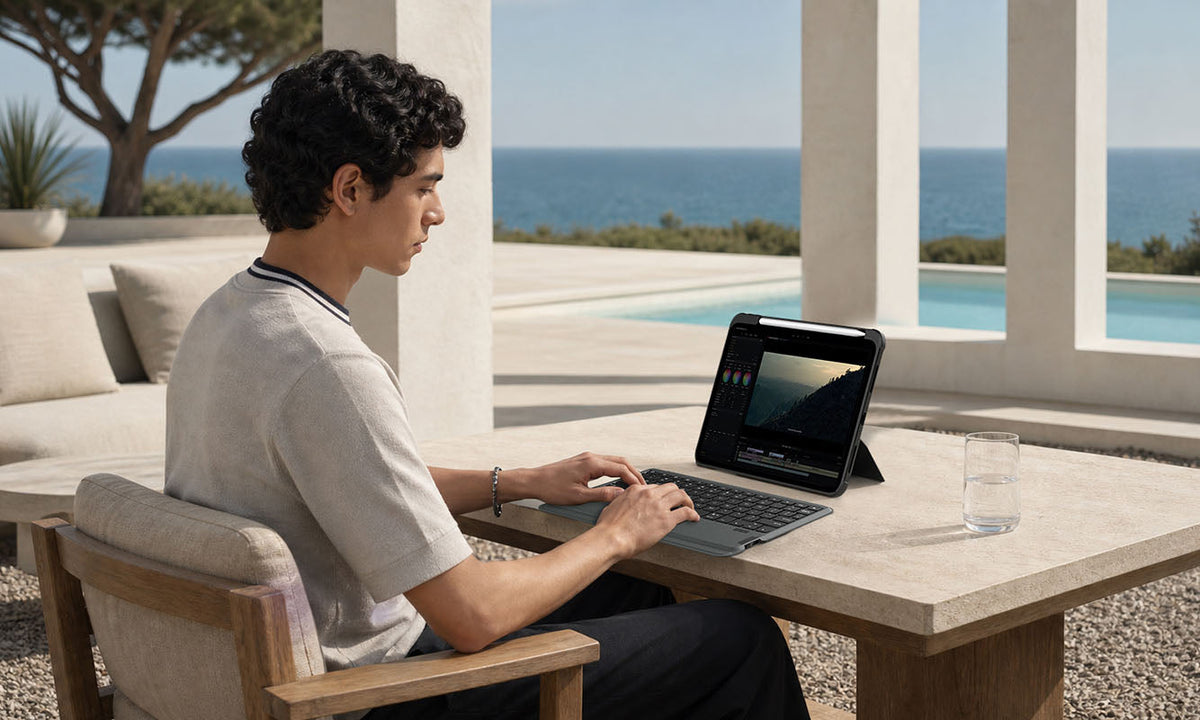
Cuando tu iPad se convierte en tu dispositivo de trabajo principal, la comodidad al escribir es importante.
El modo portátil crea una configuración de trabajo más tradicional con teclado y trackpad, facilitando las tareas cotidianas:
- Escribir correos electrónicos
- Editar documentos
- Navegar por sitios web
- Gestionar archivos
- Trabajar con aplicaciones de productividad
En lugar de llevar un portátil por separado, tu iPad se convierte en una estación de trabajo más portátil.

Modo tableta: mantén la libertad de un iPad independiente
No todas las tareas necesitan un teclado.
Leer artículos, revisar documentos, navegar por sitios web o tomar notas a mano suele sentirse mejor en el modo tableta.
Un teclado desmontable te da la libertad de quitar lo que no necesitas y volver rápidamente a la sencilla experiencia del iPad.
Menos peso. Más flexibilidad.

Modo soporte: un mejor ángulo para ver contenido y reuniones
La forma en que se coloca tu iPad puede cambiar lo cómodo que se siente.
El modo soporte es ideal para situaciones en las que quieres tener las manos libres:
- Videollamadas
- Ver tutoriales
- Aprendizaje en línea
- Presentaciones
- Entretenimiento
Un soporte estable y ajustable mantiene tu iPad en un ángulo de visión cómodo mientras mantiene tu espacio de trabajo organizado.

Modo creación: diseñado para ideas y creatividad
El iPad se ha convertido en una herramienta creativa popular para diseñadores, artistas, estudiantes y creadores de contenido.
Al usar el Apple Pencil o aplicaciones creativas, el ángulo correcto marca la diferencia.
El modo creación proporciona una configuración más cómoda para:
- Bocetos
- Dibujo digital
- Notas a mano
- Edición de fotos
- Proyectos creativos
Tu dispositivo cambia con tus ideas en lugar de limitarlas.
Modo montaje: lleva tu espacio de trabajo más allá del escritorio
Un espacio de trabajo moderno no siempre se limita a un escritorio.
Con la compatibilidad magnética, tu iPad puede funcionar con accesorios magnéticos compatibles y crear configuraciones más flexibles.
Desde organizar tu espacio de trabajo hasta crear una experiencia de visualización manos libres, el modo montaje le da a tu iPad más lugares donde ser útil.

¿Qué hace que una funda con teclado para iPad sea buena?
No todas las fundas con teclado ofrecen la misma experiencia.
Una buena funda con teclado para iPad debe equilibrar productividad, protección y comodidad diaria.
Un teclado que se siente natural
Escribir sigue siendo una de las partes más importantes de una configuración de productividad.
Un teclado con buena respuesta y un recorrido de teclas cómodo ayuda a que las sesiones de escritura más largas sean más fáciles y agradables.
La NILLKIN Bumper Combo Pro cuenta con un diseño de teclado estilo portátil con teclas silenciosas y una experiencia de escritura familiar para el trabajo diario.
Un trackpad que facilita la navegación
Las pantallas táctiles son excelentes para muchas tareas, pero un trackpad proporciona otro nivel de control.
Con el soporte de gestos de iPadOS, un trackpad de precisión permite una navegación, desplazamiento, movimiento del cursor y multitarea más fluidos.
Ayuda a que tu iPad se sienta más cerca de un ordenador tradicional cuando lo necesitas.
Soporte flexible sin perder portabilidad
Un accesorio de productividad no debería hacer que tu iPad sea difícil de transportar.
La funda con teclado ideal debería proporcionar:
- Soporte estable
- Múltiples ángulos de visión
- Protección fiable
- Cambio sencillo entre diferentes modos
El objetivo es simple:
Más capacidad, sin complejidad innecesaria.
¿Puede una funda con teclado para iPad reemplazar a un portátil?
La respuesta depende de cómo trabajes.
Para muchos usuarios, un iPad con funda con teclado puede manejar la mayoría de las tareas diarias que antes requerían un portátil:
- Escritura
- Comunicación por correo electrónico
- Reuniones en línea
- Investigación
- Toma de notas
- Creación de contenido
Sin embargo, la mayor ventaja de un iPad no es simplemente reemplazar otro dispositivo.
Es la flexibilidad.
Un portátil suele seguir siendo un portátil.
Un iPad puede convertirse en lo que tu flujo de trabajo necesite en ese momento.
Un iPad. Más formas de trabajar.
Los mejores accesorios no cambian lo que tu dispositivo puede hacer.
Cambian la facilidad con la que puedes usarlo.
Una funda con teclado ayuda a que tu iPad se mueva entre las diferentes partes de tu día:
- Una sesión de trabajo por la mañana
- Un proyecto creativo por la tarde
- Una presentación por la noche
- Una nota rápida antes de que una idea desaparezca
La funda con teclado retroiluminado magnético NILLKIN Bumper Combo Pro está diseñada en torno a esa flexibilidad, combinando un teclado desmontable, control por trackpad, múltiples modos de uso, compatibilidad magnética y protección diaria en una sola configuración.
Tu iPad ya tiene la potencia.
La configuración adecuada te ayuda a aprovecharla al máximo.
Preguntas frecuentes
¿Qué es una funda con teclado para iPad?
Una funda con teclado para iPad combina una funda protectora con un teclado integrado, brindando a tu iPad una experiencia más parecida a la de un portátil para escribir, navegar y realizar tareas de productividad.
La funda con teclado retroiluminado magnético NILLKIN Bumper Combo Pro añade más flexibilidad con un teclado desmontable, trackpad de precisión, soporte ajustable y múltiples modos de uso para diferentes situaciones.
¿Puede la NILLKIN Bumper Combo Pro convertir un iPad en un portátil?
La NILLKIN Bumper Combo Pro crea una configuración de iPad más parecida a la de un portátil con un teclado completo, soporte para trackpad y ángulos de visión ajustables.
Está diseñada para usuarios que desean un flujo de trabajo más eficiente para escribir, navegar, realizar multitarea y la productividad diaria, manteniendo la portabilidad de un iPad.
¿Es la NILLKIN Bumper Combo Pro buena para estudiantes y profesionales?
Sí.
La NILLKIN Bumper Combo Pro está diseñada para usuarios que utilizan su iPad para el trabajo, el estudio y tareas creativas.
Los estudiantes pueden usarla para tomar notas, investigar y aprender en línea, mientras que los profesionales pueden usarla para correos electrónicos, documentos, reuniones y configuraciones de trabajo portátiles.
¿Cuáles son los beneficios de un teclado para iPad desmontable?
Un teclado desmontable te da más libertad que una funda con teclado fija.
Con la NILLKIN Bumper Combo Pro, puedes conectar el teclado cuando necesites un flujo de trabajo estilo portátil y quitarlo cuando quieras una experiencia de tableta más ligera para leer, navegar, dibujar o entretenerte.
¿La NILLKIN Bumper Combo Pro admite gestos de trackpad de iPadOS?
Sí.
El trackpad de precisión integrado admite funciones de navegación de iPadOS, lo que permite un control del cursor, desplazamiento, deslizamiento y gestos multitarea más fluidos.
¿Cuántos modos admite la NILLKIN Bumper Combo Pro?
La NILLKIN Bumper Combo Pro admite cinco modos de uso flexibles:
- Modo portátil
- Modo tableta
- Modo soporte
- Modo creación
- Modo montaje
Estos modos permiten que tu iPad se adapte entre el trabajo, la creatividad, el entretenimiento y el uso diario.
Descubre una forma más flexible de usar tu iPad
Tu iPad ya es un dispositivo potente.
La funda con teclado adecuada simplemente le ayuda a encajar de forma más natural en tu vida diaria.
Explora la funda con teclado retroiluminado magnético NILLKIN Bumper Combo Pro y crea un espacio de trabajo que cambie con la forma en que trabajas, creas y vives.