

 เคส iPad Pro/Air
 เคส Galaxy Tab
 คีย์บอร์ดแม่เหล็กสำหรับ iPad
 เคส Xiaomi Pad
 อุปกรณ์เสริมแท็บเล็ต
 ไอโฟน 17 ซีรีส์
 ไอโฟน 16 ซีรีส์
 iPhone 15 ซีรีส์
 iPhone 14 Series
 iPhone 13 Series
 ไอโฟน 12 ซีรีส์
 Galaxy Z Fold & Flip Series
 กาแลคซี่ ซีรีส์ S25
 กาแลคซี่ ซีรีส์ S24
 กาแลคซี่ ซีรีส์ S23
 กาแลคซี่ ซีรีส์ S22
 Google Pixel ซีรีส์ 10
 Google Pixel 9 Series
 Xiaomi Series
 วันพลัส ซีรีส์
 Oppo ซีรีส์
 วีโว ซีรีส์
 หัวเว่ย ออเนอร์ ซีรีส์
 ซีรีส์ Nothing
 ไอโฟน ซีรีส์
 Samsung Galaxy Series
 วันพลัส ซีรีส์
 Google Series
 Xiaomi Series
 OPPO ซีรีส์
 คีย์บอร์ดพับได้
 ลำโพง
ลำโพง
 แล็ปท็อป
 สุขภาพ
 ที่ชาร์จ GaN IceCore 65W
 ที่ชาร์จและสายเคเบิล
 ที่วางโทรศัพท์และแท่นยึด
 ที่ชาร์จรถยนต์
 โปรโมชั่นปีใหม่🔥
We didn’t just make it foldable.
We made sure it stays foldable — tested over 10,000 folds without breaking a sweat.
31% OFF


ข้อเสนอพิเศษช่วงวันหยุด
คีย์บอร์ดพับได้ Cube Pocket และที่จับแม่เหล็กคู่
 1 sustainability feature
คุณสมบัติเพื่อความยั่งยืน
รับรองโดย
 Carbonfree Certified
ผลิตภัณฑ์ที่ได้รับการรับรอง Carbonfree ทุกชิ้นจะผ่านการประเมินตั้งแต่ต้นจนจบเพื่อกำหนดปริมาณคาร์บอนฟุตพริ้นท์ของผลิตภัณฑ์ การปล่อยก๊าซคาร์บอนที่เกี่ยวข้องกับผลิตภัณฑ์จะถูกลดลงเท่าที่ทำได้ และการปล่อยก๊าซคาร์บอนที่เหลือจะได้รับการชดเชยด้วยโครงการลดคาร์บอนที่ได้รับการรับรองจากบุคคลที่สามในด้านพลังงานหมุนเวียน ประสิทธิภาพพลังงาน และป่าไม้

คุณสมบัติเพื่อความยั่งยืน
รับรองโดย
Carbonfree Certified
ผลิตภัณฑ์ Carbonfree Certified ทุกชิ้นผ่านการประเมินตั้งแต่ต้นจนจบเพื่อกำหนดปริมาณคาร์บอนฟุตพริ้นท์ของผลิตภัณฑ์ การปล่อยก๊าซคาร์บอนที่เกี่ยวข้องกับผลิตภัณฑ์จะถูกลดลงเท่าที่ทำได้ และการปล่อยก๊าซคาร์บอนที่เหลือจะได้รับการชดเชยด้วยโครงการลดคาร์บอนที่ได้รับการรับรองจากบุคคลที่สามในด้านพลังงานหมุนเวียน ประสิทธิภาพพลังงาน และป่าไม้
Deals End in
SAVE 15%
Get this item for CHF 60.35
with our auto-applied code.
Code: NYWT15
Code: NYWT15
🔥 See All Offers >>


รับประกันคืนเงิน 60 วัน
ข้อมูลการคืนสินค้าเพิ่มเติม:
รับประกันคืนเงินภายใน 60 วัน
เราเข้าใจดีว่าบางครั้งสินค้าของเราอาจไม่ตรงตามความคาดหวังของคุณทั้งหมด และเราต้องขออภัยเป็นอย่างสูง หากสิ่งนี้เกิดขึ้น โปรดติดต่อ service@nillkin.cc โดยเร็วที่สุด พร้อมส่งภาพถ่ายผลิตภัณฑ์และบรรจุภัณฑ์ที่สมบูรณ์มาให้เราภายใน 60 วัน นับจากวันที่ซื้อ เราจะดำเนินการด้านบริการหลังการขายให้ทันทีสินค้าทุกรายการสามารถคืนหรือเปลี่ยนได้ภายใน 60 วัน นับจากวันที่จัดส่ง (หมายเหตุ: สินค้าสั่งทำพิเศษที่มีการสลักชื่อย่อหรือโลโก้เฉพาะ ไม่สามารถคืนหรือรับเงินคืนได้ เราไม่รับผิดชอบต่อข้อผิดพลาดในการสลักที่เกิดจากลูกค้าสำหรับสินค้าสั่งทำพิเศษ สินค้าสั่งทำพิเศษจะได้รับการคุ้มครองเฉพาะกรณีที่เกิดความเสียหายเท่านั้น เราจะส่งสินค้าใหม่อีกครั้งโดยไม่มีค่าใช้จ่ายเพิ่มเติม) NILLKIN มีการอนุมัติการคืนสินค้า ซึ่งกำหนดให้คุณต้องรับผิดชอบค่าใช้จ่ายในการจัดส่งคืนและค่าประกันภัย
โปรดทราบว่าสินค้าจะต้องอยู่ในสภาพเดิมเมื่อได้รับ รวมถึงเอกสารผลิตภัณฑ์ทั้งหมด และต้องจัดส่งภายในสามวัน
สำหรับการเปลี่ยนสินค้าอย่างรวดเร็ว เราขอแนะนำให้ขอรับเงินคืนและทำการสั่งซื้อใหม่ โปรดรอประมาณหนึ่งสัปดาห์เพื่อให้การคืนเงินของคุณได้รับการดำเนินการหลังจากที่เราได้รับสินค้าคืนของคุณ
ในกรณีที่พัสดุหรือสินค้ามาถึงเสียหาย โปรดปฏิเสธการรับสินค้าหรือแจ้งให้เราทราบทันที (service@nillkin.cc) เก็บวัสดุบรรจุภัณฑ์ทั้งหมดไว้ เว้นแต่จะได้รับคำแนะนำเป็นอย่างอื่นจาก NILLKIN การเคลมสำหรับสินค้าที่เสียหายหรือสูญหายจะต้องดำเนินการทันที หรือภายในสามวันหลังจากได้รับสินค้าของคุณ NILLKIN จะไม่รับผิดชอบต่อสินค้าที่สูญหายหรือเสียหายในการจัดส่งคืน
การรับประกันที่ง่ายดาย

ที่ NILLKIN เราค้ำประกันคุณภาพและประสิทธิภาพของผลิตภัณฑ์ของเรา ความมุ่งมั่นของเราขยายไปถึงการรักษาความทนทานของผลิตภัณฑ์ของคุณและลดผลกระทบต่อสิ่งแวดล้อม
ผลิตภัณฑ์ที่ซื้อจากร้านค้าของเราจะได้รับระยะเวลาการรับประกันตั้งแต่ 1 ปี ถึง 2 ปี
การรับประกันแบบจำกัด:
- ซื้อจาก nillkin.cc เพื่อรับความคุ้มครอง แหล่งอื่นไม่รวมอยู่ด้วย
- ครอบคลุมข้อบกพร่องด้านวัสดุ/ฝีมือการผลิตในช่วงระยะเวลาการรับประกัน NILLKIN จะเปลี่ยนผลิตภัณฑ์ที่มีข้อบกพร่องให้กับผู้ซื้อเดิม
หมายเหตุ:
- การรับประกันไม่รวมผลิตภัณฑ์ที่ไม่ใช่ของ nillkin.cc สินค้าฟรี/โปรโมชั่น สินค้าที่ไม่ใช่ของ NILLKIN และสินค้าที่เลิกผลิตแล้ว
ยื่นเคลม:
สำหรับปัญหาการรับประกัน/ความเสียหาย โปรดติดต่อ service@nillkin.cc เพื่อขอเปลี่ยนสินค้าฟรี
เรียนรู้เพิ่มเติมเกี่ยวกับระยะเวลาการรับประกันของเรา ตรวจสอบรายละเอียด
ส่วนลดสำหรับการซื้อจำนวนมาก

ส่วนลดสำหรับการซื้อจำนวนมาก
โปรแกรมส่วนลดสำหรับการซื้อจำนวนมากมอบโซลูชันที่คุ้มค่าสำหรับธุรกิจ องค์กร หน่วยงานรัฐบาล และบุคคลทั่วไปในการซื้อผลิตภัณฑ์ NILLKIN จำนวนมาก (ขั้นต่ำ 10 ชิ้นขึ้นไป) ซึ่งรวมถึงเคสโทรศัพท์มือถือ เคสแท็บเล็ต ฟิล์มกันรอยหน้าจอ ที่ชาร์จไร้สาย หูฟัง และอุปกรณ์เสริมอื่นๆ นอกจากนี้ ผลิตภัณฑ์ NILLKIN ยังเหมาะสำหรับเป็นของขวัญสำหรับพนักงานและพันธมิตรทางธุรกิจของคุณ เข้าร่วมโปรแกรมและประหยัดได้แล้ววันนี้!
ติดต่อเรา
หากมีข้อเสนอแนะหรือคำถามใดๆ โปรดติดต่อเราทางอีเมล
อีเมล: service@nillkin.cc
เรียนรู้เพิ่มเติมเกี่ยวกับ ส่วนลดสำหรับการซื้อจำนวนมาก ของเรา ตรวจสอบรายละเอียด
🔁 Connect 3 Devices
Bluetooth 5.0 lets you pair and switch between 3 devices.
Supports iOS, Android, Windows, and macOS.
📏 Pocket-Sized, Full Power
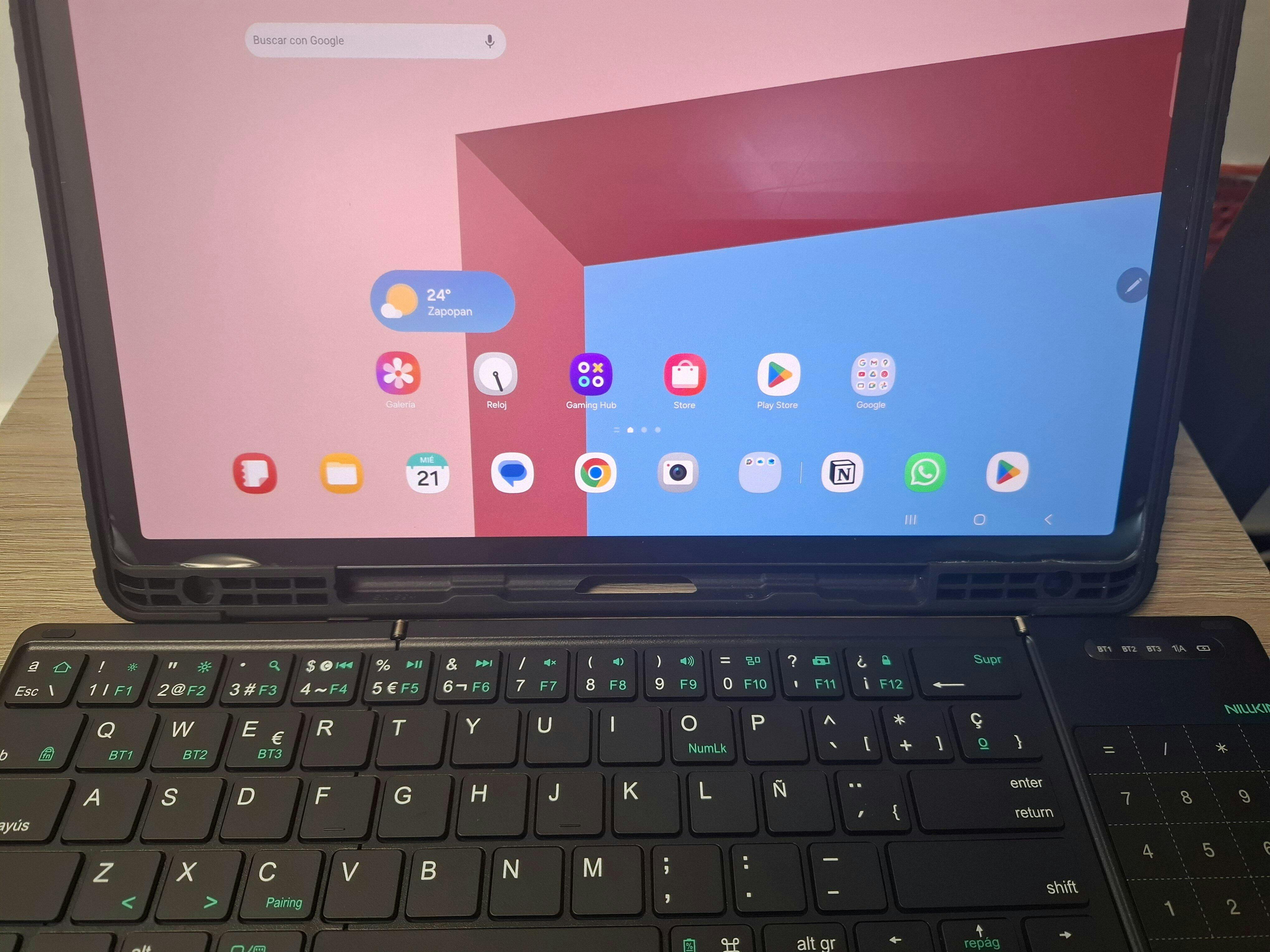
Open: 342*108*9.5 mm
Folded: 182*108*16 mm
Weight: 270g — easy to carry, easy to type.
🖱️ Touchpad + Number Pad
Intuitive touchpad meets built-in number pad.
Navigate, swipe, and input — all in one smooth combo.
Multi-touch gestures, auto system detection, and anti-mistouch tech.
Touchpad auto-disables while typing.
⌨️ 64-Key Layout
Compact, clean, and built for smooth, silent typing.
Minimal design, satisfying bounce, and whisper-quiet keystrokes.
⚙️ Key Specs
Bluetooth 5.0
Keys: <4mA
Touchpad: <11mA
Input: 5V⎓1A
Battery: 140mAh
Auto sleep: 10 mins
Wake: Any key
Range: 10m
Use time: Up to 10h
📦 What's included
1 x Wireless Bluetooth Keyboard
1 x USB-C Cable
1 x Storage Bag
1 x User Manual
🔥 Others Also Bought
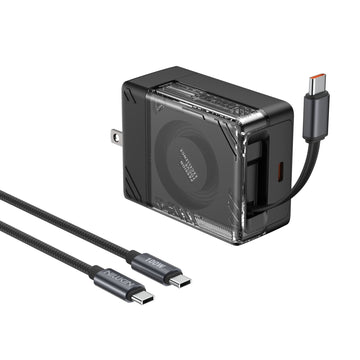
IceCore ที่ชาร์จ GaN แบบพับเก็บได้ 65W (สาย USB-C 2.4 ฟุต) พร้อมสาย C-to-C 100W
CHF 35.00
CHF 60.00

ซองแล็ปท็อป Pro อเนกประสงค์พร้อมขาตั้งและแผ่นรองเมาส์
CHF 35.00
CHF 45.00

สถานีชาร์จ SnapBranch Pro
CHF 74.00
CHF 111.00
คีย์บอร์ดพับได้ Cube Pocket และที่จับแม่เหล็กคู่
ราคาขายCHF 71.00
ราคาเต็มCHF 104.00 (/)
x
Fold Your Work, Not Your Sanity
181mm folded. 341mm unleashed. Perfect for tiny desks, giant ideas, and zero compromises.


See in Action

Your Office, Anywhere


Born for Chaos
Unfolds into a full-sized keyboard, folds into a pocket-sized ninja (only 270g—lighter than your Monday to-do list).

Fold. Unfold. Repeat. No Drama.

Quiet & Responsive Typing
Scissor-switch keys deliver smooth, silent keystrokes—perfect for libraries, classrooms, and meetings.


Seamless Control
Touchpad or numpad? No need to choose.
Navigate, scroll, and input numbers with ease—all in one compact keyboard.

With a 140mAh battery, you get up to 10 hours of typing on a single charge. Plus, it auto-sleeps after 10 minutes of inactivity—smart enough to save power, steady enough to keep up with your work.
Power That Keeps Up
With a 140mAh battery, you get up to 10 hours of typing on a single charge. Plus, it auto-sleeps after 10 minutes of inactivity—smart enough to save power, steady enough to keep up with your work.


Organic Silicone Skin
Made from organic silicone that resists coffee spills, fingerprints, and even mid-meeting panic sweats.

Deep Sea Blue

Deep Forest Black

Sunset Orange

Dusk Gray

Tundra Green

Gravel Khaki
Tested. Certified. Trusted.


FAQ
How do I connect the keyboard?
For first-time pairing, press FN + BT1/BT2/BT3 to select a Bluetooth channel, then press FN + C to enter pairing mode.
How many devices can the keyboard connect to?
Up to three devices. You can switch between them by pressing FN + BT1/BT2/BT3.
What systems is the keyboard compatible with?
The keyboard automatically adapts to
iOS, Android, Windows, and macOS systems.
How do I charge the keyboard?
Use the included USB-C cable to charge. Supports 5V/1A or 5V/2A input.
How can I check the battery level?
The battery indicator light will flash 3 times when the keyboard is turned on. You can also press FN + battery icon key to check:
🔴 Red light (3 flashes): 0–30%
🔵 Blue light (3 flashes): 30–70%
🟢 Green light (3 flashes): 70–100%
Is the keyboard waterproof?
No, the keyboard is not waterproof. Please keep it away from water.
How to reset to factory settings?
Press and hold Fn + R for 3 seconds. The Bluetooth indicators (3 channels) will flash rapidly 3 times.
Why can't I tap to open apps on iPad?
Enable tap-to-click:
Settings > General > Trackpad > Tap to Click
Why doesn't the touchpad work on iPhone?
Enable Assistive Touch:
Settings > Accessibility > Touch > Assistive Touch
Why can’t I switch between uppercase and lowercase on iPhone?
Disable the setting:
After connecting via Bluetooth → Settings > General > Keyboard > Hardware Keyboard > Turn off "Caps Lock to switch languages"
Why is my Windows desktop typing automatically or freezing?
The Bluetooth version may be too low. Please update your Bluetooth driver.
Why doesn’t two-finger tap trigger right-click on Windows?
Right-click works when two fingers tap closely together. Tapping too far apart may not trigger it.
Why doesn’t the virtual keyboard appear on Android?
Android OS does not support virtual keyboard with physical keyboards connected.
Will the keyboard go to sleep when folded?
No. It enters sleep mode after 10 minutes of inactivity.
To wake: press any key for 2 seconds, then both keyboard and touchpad will reconnect.
Can I use the keyboard while charging?
Yes, it supports charging and use at the same time.
ผลิตภัณฑ์นี้ได้รับคะแนน 4.9 จาก 5.0 ดาว.
มันได้รับ 274 รีวิว.


Make your life and work easier by providing unique and quality products. We believe that high quality accessories enhance the user experience and our team constantly strives to develop and improve our products to meet the ever-changing market needs.
As the pace of life accelerates and productivity devices continue to innovate, multi-screen collaboration allows content to be transmitted across devices without hindrance, enabling various functional operations and people to work more efficiently.
BLOG

Your NILLKIN Upgrade Starts Here: Smarter Tech, Enhanced Design at Nillkin.com
Nillkin is excited to announce that our website has been fully upgraded, and our domain has been changed from nillkin.cc to nillkin.com. This upgrade is more than a simple domain change—it marks a ...

ไม่ใช่แค่เคสแม่เหล็กสำหรับโทรศัพท์: สร้างระบบนิเวศอุปกรณ์เสริมแม่เหล็กของคุณ
โต๊ะทำงานของเรามักจะเต็มไปด้วยของสารพัด ทั้งแท่นวาง สายชาร์จ กระเป๋าสตางค์ หรือแม้แต่ตัวยึดเล็กๆ สำหรับถ่ายวิดีโอ แต่พอจะใช้งานจริง กลับรู้สึกว่าไม่มีอะไรลงตัวสักอย่าง แท่นวางบังพอร์ตชาร์จ กระเป๋าส...

โปรโมชั่นคริสต์มาส 2025: อุปกรณ์เสริมอัจฉริยะ Nillkin สำหรับการเดินทางและทำงานนอกสถานที่
เทศกาลวันหยุดมาถึงแล้ว — เที่ยวบินเต็มแน่น ร้านกาแฟคึกคัก และงานก็ไม่ได้หยุดเสมอไปเพียงเพราะเป็นวันคริสต์มาสไม่ว่าคุณจะเดินทางเพื่อธุรกิจ ทำงานทางไกลระหว่างเดินทาง หรือมองหาของขวัญเทคโนโลยีที่ถูกใจ...